
Mazda6 CarPlay & Android Auto by Year
This page covers only what’s specific to the 2016–2021 Mazda6 (GJ/GL): when CarPlay arrived from the factory, which trims got it, and the quirks tied to this car. For how CarPlay works on the platform, wired-vs-wireless adapters, and general troubleshooting, see CarPlay options for Mazda Connect and CarPlay won’t connect.
The Mazda6 ran Gen 6 Mazda Connect for its entire North American life: a 7-inch touchscreen through 2017, an 8-inch touchscreen from the 2018 refresh, both on the same CMU. The only thing that varies for CarPlay is whether the USB hub and firmware were installed at the factory.
Watch a Mazda6 retrofit before you start
Section titled “Watch a Mazda6 retrofit before you start”These two cover the exact Mazda6 console teardown and USB hub swap, including the 2016–2017 trim removal that the OEM kit needs.
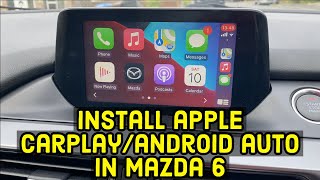 14:14 How to install Apple CarPlay & Android Auto in a Mazda 6 Watch on YouTube ↗
  2:57 Mazda 6 2016–2017 trim removal to add Android auto and Carplay Watch on YouTube ↗
 Counts are Reddit mentions; see how we count.
Factory CarPlay arrived in 2018, Touring and up
Section titled “Factory CarPlay arrived in 2018, Touring and up”| Model Year | Standard on | Notes |
|---|---|---|
| 2016 | None | First year of the GJ refresh. No CarPlay hardware or firmware. Retrofit required. |
| 2017 | None | Retrofit required. |
| 2018 | Touring and up (some) | First year CarPlay was offered. Owner reports describe a dealer-installed update partway through the model year, then factory-fitted on later builds. Sport trim excluded; early-2018 builds need the dealer install or retrofit. |
| 2019 | Touring and up | Standard from Touring up. Sport trim excluded. |
| 2020 | Touring and up | Standard from Touring up. Sport trim excluded. |
| 2021 | Touring and up | Final North American year. Standard from Touring up. |
The short version: 2016–2017 never had it, the base Sport trim never had it in any year, and everything from Touring up (2018+) does, with early-2018 cars the one timing exception.
Check for the USB hub and the CarPlay menu to know if you have it
Section titled “Check for the USB hub and the CarPlay menu to know if you have it”- Look for a USB-A data port in the console/armrest. The CarPlay-capable USB hub is a different part from the charging-only ports.
- In Mazda Connect, open Settings > Device > Apple CarPlay (or Android Auto). If the menu is there, the hub and firmware are present.
- If the menu is missing, you either lack the hub or need a firmware update to enable it. Confirm what you’re running at check your firmware.
Retrofitting 2016–2017, early 2018, and Sport trims needs a hub plus firmware
Section titled “Retrofitting 2016–2017, early 2018, and Sport trims needs a hub plus firmware”The OEM Mazda CarPlay/Android Auto retrofit is the same family of kit used across the Gen 6 lineup, not a software-only update. It’s three parts:
- A USB hub module that handles CarPlay/Android Auto data and higher-current charging
- A USB wiring harness/cable kit
- A firmware update to a CarPlay-capable Gen 6 version
Confirm the exact part number for your VIN with a dealer. It has been revised over the years. The hub bolts into the console, so self-installing the OEM kit is feasible, but the firmware update has to be current first or the CarPlay menu stays hidden. The get to v74 walkthrough covers that path. An aftermarket wireless hub is the cheaper route but carries its own adapter quirks, covered in wireless CarPlay adapters.
Mazda6-specific quirks owners report
Section titled “Mazda6-specific quirks owners report”- 2016–2017 buyers are the most vocal group: many expected CarPlay and found it needed a retrofit. The common verdict is the OEM kit “feels factory” and is worth it over the aftermarket wireless route.
- 2021 cars show up repeatedly for connecting at startup then dropping a minute or two in. The usual fix is a new cable and a reboot; in some cases a failing navigation SD card was the culprit, and pulling it resolved the dropouts.
- Loose-feeling USB ports are a recurring complaint and a real lead for intermittent disconnects. A small number of owners have had the hub replaced under warranty.
- Across years, the most repeated advice is to use a quality, Apple-certified Lightning cable. Owners point to cheap cables as a common cause of “device not supported” errors and dropouts.
CarPlay runs over touch and the commander knob here, same as the native interface. Gen 6 does not support wireless CarPlay natively. Factory CarPlay is wired over USB, and wireless requires an aftermarket adapter in the hub.
Once CarPlay is sorted, the rest of the Gen 6 defaults stay: the every-drive disclaimer, slow boot, the touchscreen lockout while moving. Those are software, and on the v74 firmware these cars need for CarPlay anyway, ScreenTune removes them.
Related pages
Section titled “Related pages”- CarPlay options for Mazda Connect: wired/wireless, adapters, full troubleshooting
- CarPlay won’t connect: connection failures and fixes
- Check your firmware version: identify what you’re running
- Get to v74: path to CarPlay-capable Gen 6 firmware
- Mazda6 overview: parent page for all Mazda6 content
- Mazda6 common complaints: known issues by year