You choose what stays on screen.
Change any of the eleven detail positions. For a simpler view, supported themes can hide the extra readings and show just speed and RPM.
Ten themes or your own design. No phone or OBD adapter needed.
ScreenTune from $69. One-time purchase. Meters included.
Put the readings you care about beside speed and RPM. Choose from 59 values, including temperatures, individual wheel speeds, heading, and drive time.
Available readings depend on your car. The data reference explains each value and identifies raw diagnostic codes.
Explore all 59 readings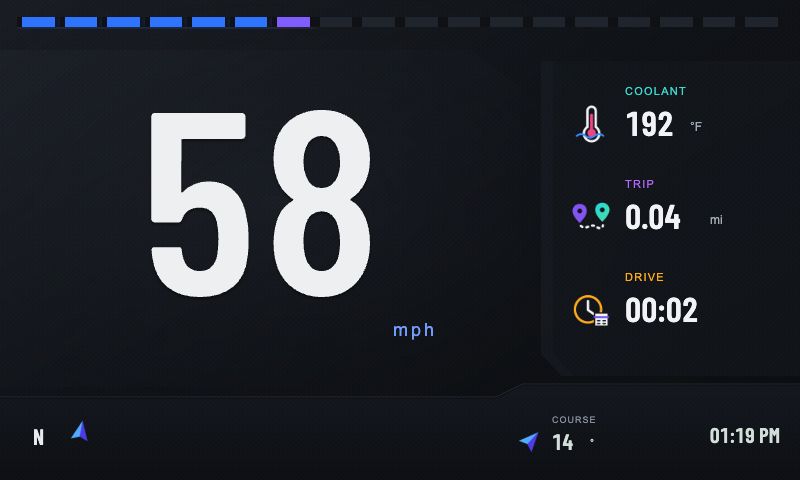
Change any of the eleven detail positions. For a simpler view, supported themes can hide the extra readings and show just speed and RPM.
Choose themes and readings with the controls already in your car. Meters runs on Mazda Connect without a phone, adapter, or internet connection.
Meters follows Mazda Connect's language, miles or kilometers, temperature units, and clock format.
Your theme, layout, and readings stay in place through restarts and updates. Set them once and open Meters from Applications.
Choose classic dials, a simple digital layout, or pop-up headlights. All ten are included, and you can switch between them in the car.
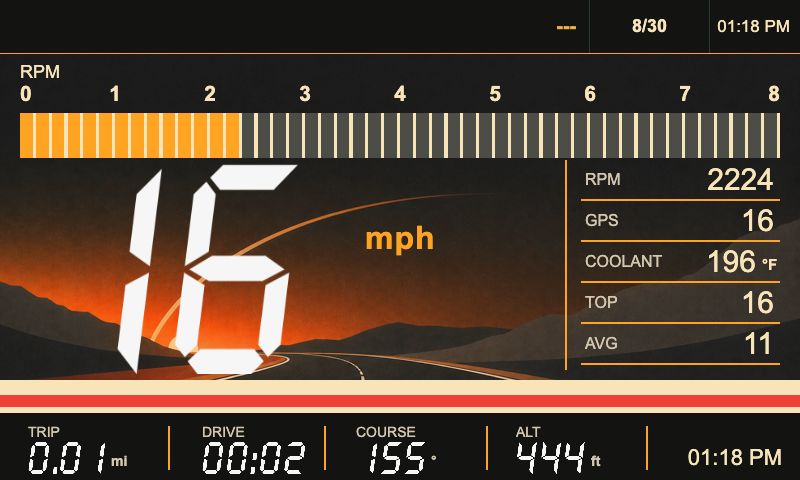
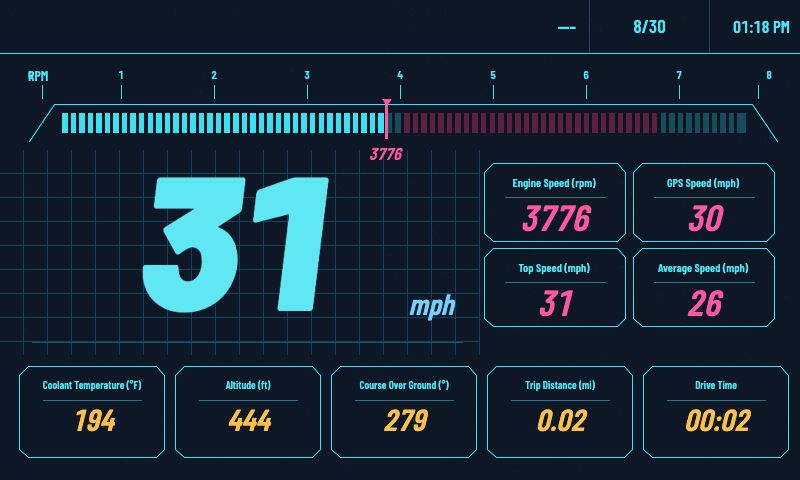
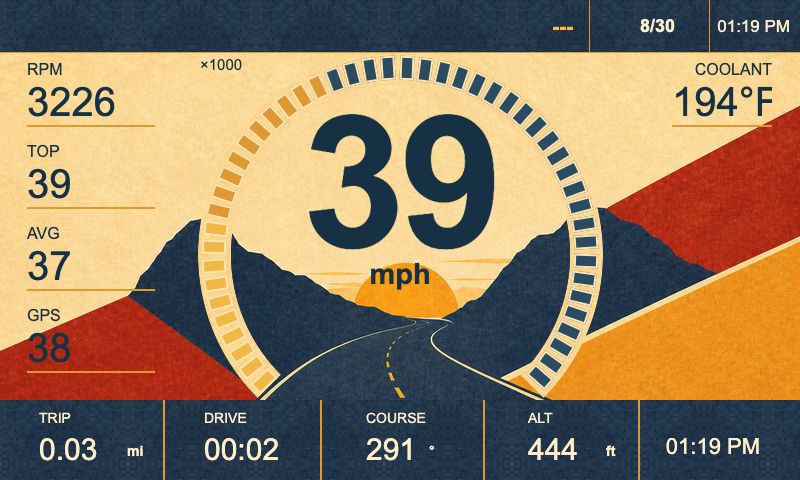
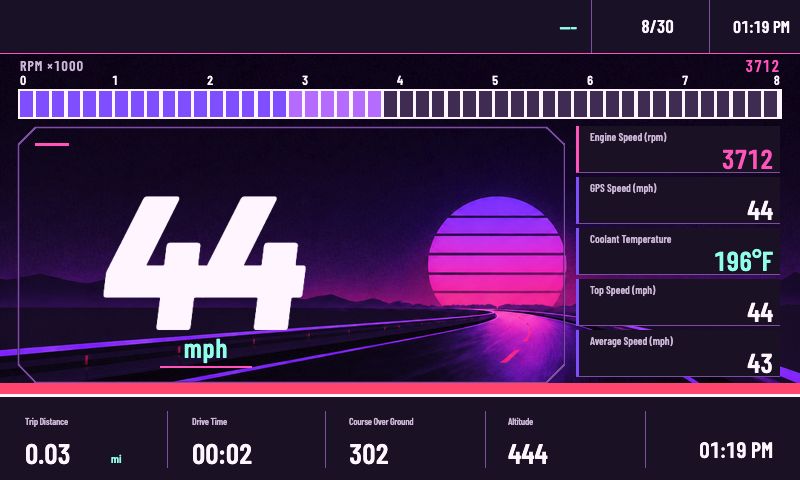
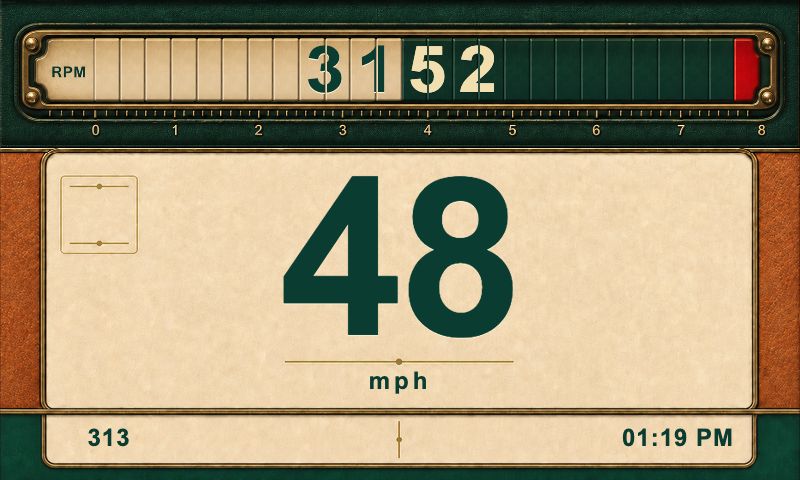
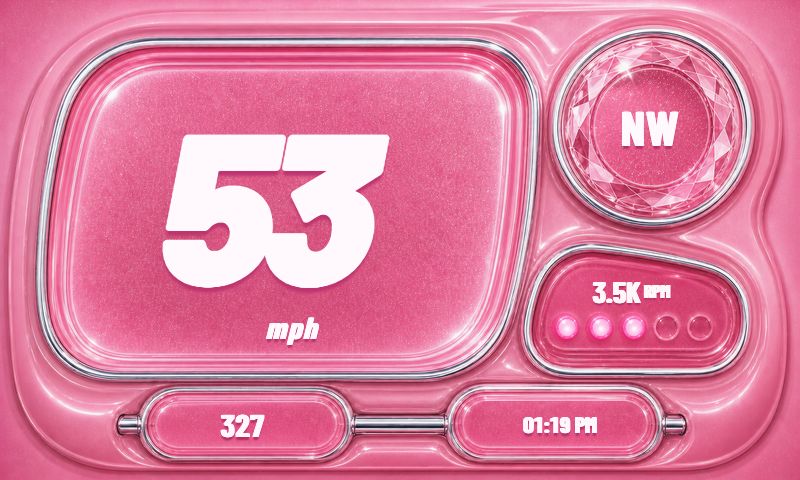
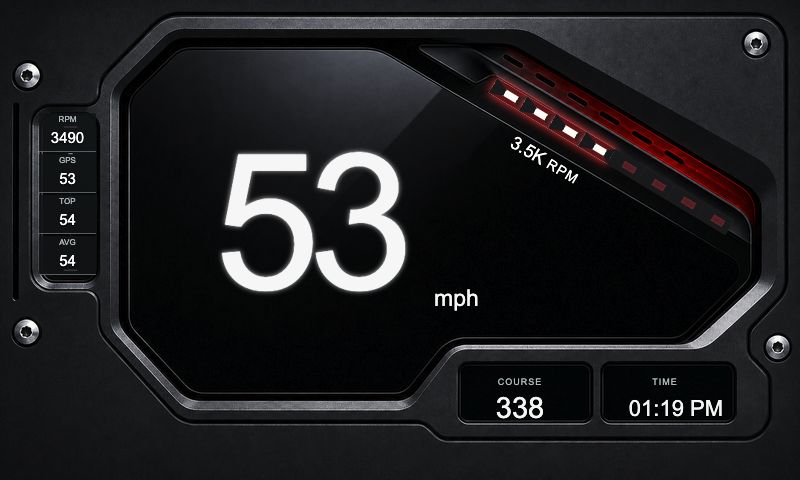
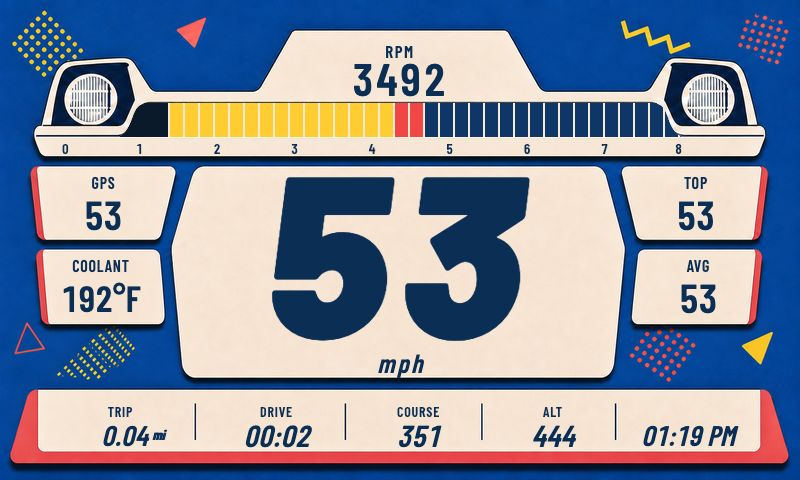
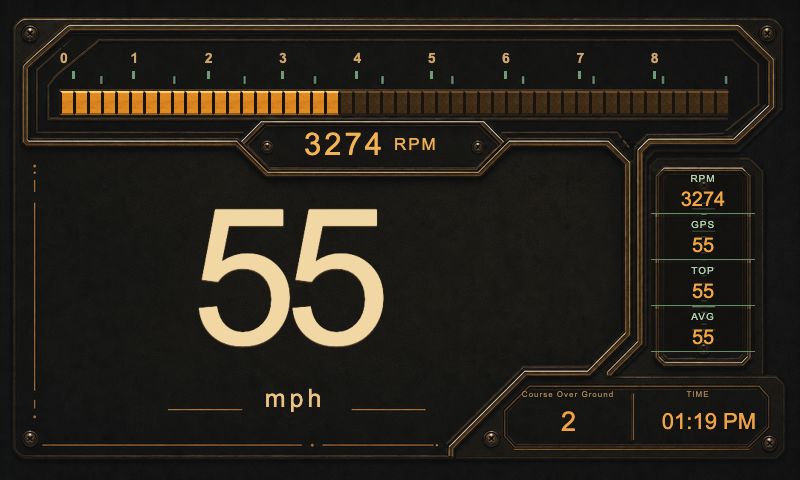
The dashboard builder in My ScreenTune puts your gauges and readouts on an 800 × 480 screen over your own photo, a stock image, or a color. Your designs join the stock themes in the car's list.
Designing needs a computer or tablet. A saved design reaches the car with your next ScreenTune package.
Design a custom dashboard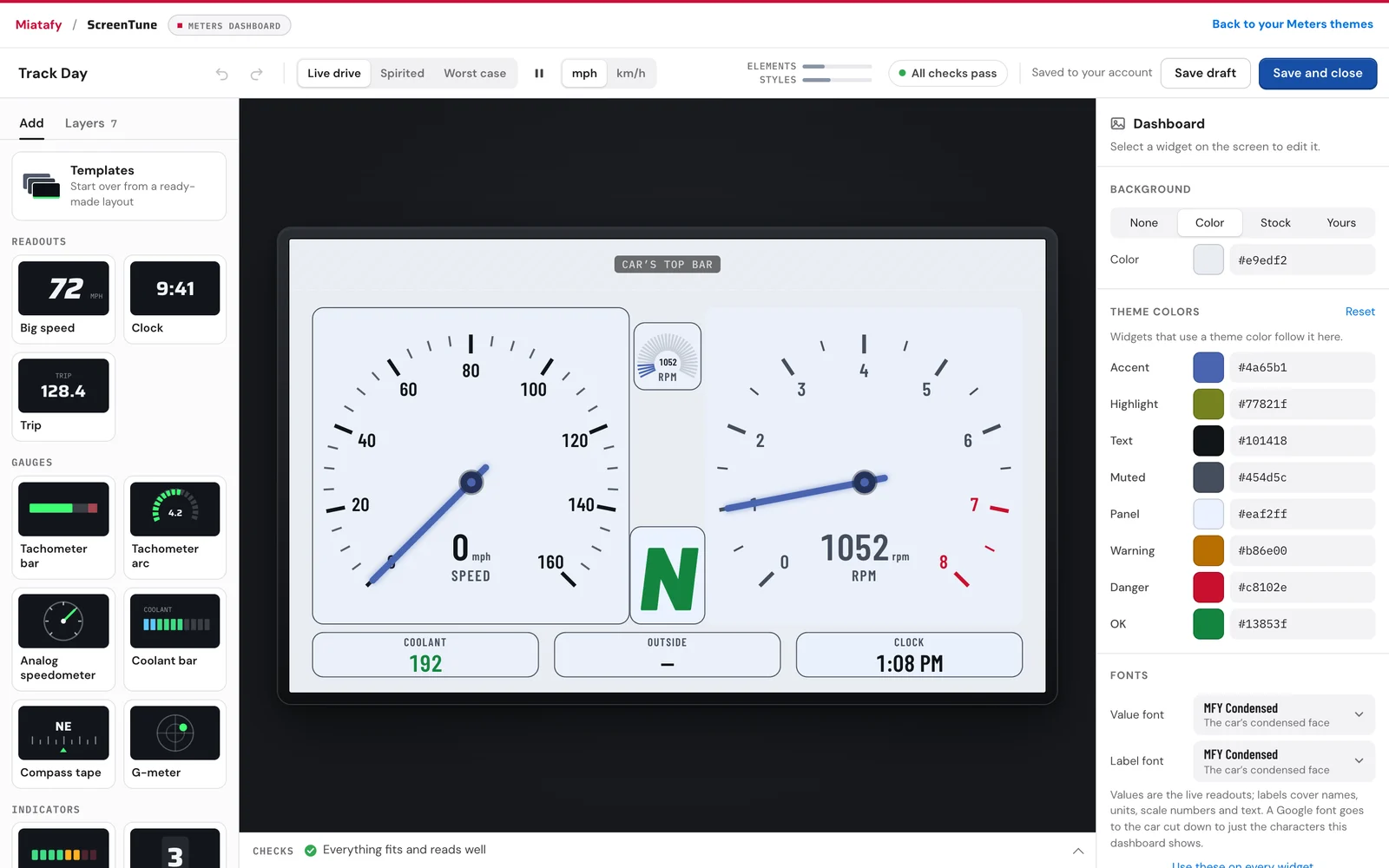
Upload a photo and the builder suggests three layouts that keep readings clear of it. Or start from a template such as Track Day, Road Trip, Analog, or Diagnostics, or from a blank screen.
Numbers, bars, arcs, needle dials, gear and shift lights, a compass tape, and a G-meter. Bind each to any of the 59 readings and color it by value, such as red past the redline.
Set theme colors by hand or match them to your photo. Pick value and label fonts from the car's two built-in faces and 47 Google fonts.
Watch the design play a recorded drive, a run past the redline, and worst-case values in mph and km/h. The builder flags anything the car can't draw or that's hard to read.
Enter your email and VIN, then confirm your firmware. Choose Meters when you reach the add-ons step.
The ScreenTune USB adds Meters to Mazda Connect. Remove the USB once installation finishes and the screen restarts.
Open Applications → Meters. Pick a theme or one of your designs, and the readings you want to see.
The ScreenTune configurator checks your Gen 6 Mazda Connect system, model, market, and trim before we build your package.
No. Meters is included at no extra charge with compatible ScreenTune purchases. Select it when you customize your package.
Meters requires Gen 6 Mazda Connect on v74.00.324. The ScreenTune configurator checks your model, market, year, and trim before we build your package.
No. Meters runs on Mazda Connect and uses vehicle data already available to the screen. It works without a phone, OBD adapter, or internet connection.
Use the touchscreen or commander knob. The top bar lets you change themes and layouts. Select any secondary reading to replace it with another value.
Yes. The dashboard builder in My ScreenTune lets you design dashboards over your own photo, a stock image, or a color, using gauges, bars, numbers, and indicators bound to any reading. Designing needs a computer or tablet. A saved design reaches the car with your next ScreenTune package.
Yes. Your theme, layout, and all eleven reading choices are saved in the car. Restarts, updates, and repairs keep them. Removing ScreenTune deletes them.
Yes. Meters uses your Mazda Connect language, miles or kilometers, Celsius or Fahrenheit, and 12-hour or 24-hour clock.
A red zone appears only when we have verified the tachometer range for your vehicle. Other cars show a neutral 8,000 RPM scale without a marked red zone.
No. Keep using the factory gauges and warning lamps. Meters adds information on the center screen. Set up your layout while parked.
No. Meters does not log or upload your location or vehicle readings. GPS values appear only if you select them and the car has a current, usable GPS signal.
Yes. Insert the matching ScreenTune USB and choose REMOVE. This removes ScreenTune, including Meters and its saved settings, and restores files backed up during the first install.
Both ScreenTune options are one-time purchases and include Meters at no extra charge. Start with your email and VIN, then choose your features.
Customize ScreenTune