
Mazda Connect Ghost Touch: Causes and Fixes
Ghost touch is the Gen 6 Mazda Connect touchscreen registering taps, swipes, and long-presses with no finger on the glass. The cursor crawls, menus open by themselves, and the screen eventually stops responding to real input. It is a hardware fault in the touch panel, not a firmware bug, and it affects the 7-inch resistive touch panel fitted across the platform. This is the canonical reference; the per-model pages defer the mechanism and repair detail here and cover only their own year ranges and warranty programs.
Watch the repair before you open the dash
Section titled “Watch the repair before you open the dash”Owners who fixed this themselves filmed both routes: the free/software workarounds and the full digitizer swap. These cover the Mazda3, CX-5, CX-3, and MX-5 7-inch panel, which is the same part across all of them.
 7:03 Mazda 3 Possessed Infotainment System/Ghost Touch FIX Watch on YouTube ↗
  11:17 How-To Fix A Mazda 3, CX3 and MX-5 Infotainment Screen That Has Delamination, Cracking, Discoloring Watch on YouTube ↗
  2:56 Mazda 3 2014 Touchscreen Display Issue - Simple fix Watch on YouTube ↗
  4:25 How to fix Mazda CX-5 ghost touch!! 🚨 Watch on YouTube ↗
 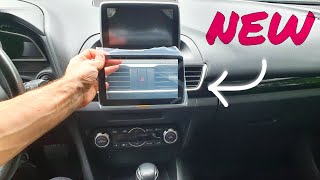 9:56 Mazda 3 Touchscreen Replacement (Ghost Touch) Watch on YouTube ↗
  11:24 Mazda Infotainment system (radio) rebooting, crashing and Ghost Touch Fix Watch on YouTube ↗
  15:17 How To Stop Ghost Touches For Free In Your Mazda CX-5! Watch on YouTube ↗
 Counts are Reddit mentions; see how we count.
Which screens get it
Section titled “Which screens get it”Ghost touch hits the Gen 6 touch panels, overwhelmingly the 7-inch unit that shipped across the lineup: 2014–2018 Mazda3, 2016–2020 CX-5, 2016–2017 Mazda6, CX-3, the CX-9 Sport, and the ND MX-5. Mazda’s TSB coverage for the Mazda6 runs through 2021, which takes in the 8-inch touchscreen as well. Cars fitted with the Gen 7 8.8-inch widescreen use a commander-knob-only display with no digitizer at all, so they physically cannot ghost touch. If your screen is the non-touch 8.8-inch (or the 10.25-inch Gen 7 unit), phantom input is not your problem. Look at common problems or black screen and reboots instead.
The defect runs by panel, not by badge: the same 7-inch part shows up across multiple models, so the cause and the fix are identical regardless of which car it’s bolted into.
Why the panel invents touches: corrosion and delamination
Section titled “Why the panel invents touches: corrosion and delamination”The 7-inch display is a resistive touchscreen: two transparent Indium Tin Oxide (ITO) conductive layers separated by a tiny gap, and a press brings them into contact, which the controller reads as finger position. Two failure modes corrupt that signal, and most cars show some of both:
- ITO corrosion. Moisture trapped against the ITO film (Mazda’s own bulletin traces some of it to moisture that adhered to the lens during cleaning at the plant) corrodes the conductive layer. As the film corrodes, the layer’s electrical characteristics drift, and the controller reads that drift as a touch even though nothing is on the glass.
- Delamination. The lens, the touch layer, and the LCD are bonded with an optically clear adhesive. Years of heat cycling break that adhesive down; the layers expand at different rates, small gaps and warps form inside the stack, and the conductive layers start making contact on their own, which the controller reads as touches. You can often see delamination as bubbling, peeling film, or white dots at the screen edges before the ghost touch gets bad.
Heat is the accelerant for both. A dashboard-mounted screen baking in a closed cabin runs through far more thermal stress than a phone or tablet, and cars parked outside in hot climates fail noticeably faster. Most failures surface after roughly three to six years of heat cycling, which is why this reads as an age-and-climate problem rather than a mileage one.
A few things people blame that usually aren’t the cause:
- Screen protectors. A thick, cheap, or poorly applied stick-on protector (especially one with trapped air or its own adhesive layer) can mimic ghost touch by pressing on the touch layer or holding moisture against the glass. This is the one cause you can rule out for free: peel the protector off and clean the glass before assuming the panel is dead.
- Grounding. A bad chassis ground or a failing 12V system can make the touch controller behave erratically, the same way it does on aftermarket head units. It’s rare on a stock Mazda Connect car, but if you’re also seeing reboots, flicker, or audio dropouts, chase the battery and charging system first. Fixing a voltage problem is cheaper than replacing a panel, and a panel that ghost-touches only when voltage is marginal isn’t the panel’s fault.
How to tell it’s the hardware
Section titled “How to tell it’s the hardware”Real ghost touch progresses and survives a reset. Quick triage before you spend anything:
- Clean the glass and remove any screen protector. Fingerprints, grit, and add-on films all read as touch. If the phantom input stops, you’re done.
- Reboot the CMU. Hold the volume knob plus the back and favorites buttons for ~10 seconds, or pull the infotainment fuse. See reboot and reset. A software glitch clears on reboot; a corroded digitizer comes right back.
- Watch where the phantom taps land. Ghost touch tends to cluster: repeated taps in the same region, or input that gets worse as the cabin heats up and eases when it’s cold. That heat correlation is the tell that it’s the panel.
- Check the edges for delamination. Bubbling, a peeling outer film, or white dots near the corners confirm the adhesive stack is failing.
If it clusters, tracks with heat, and returns after a reboot, it’s hardware. No firmware update or factory reset fixes it, and no software product can either. There’s nothing in the CMU to tune; the signal coming off the panel is wrong before software ever sees it.
Fixing it
Section titled “Fixing it”In rough order of cost:
1. Warranty and TSB coverage: check this first
Section titled “1. Warranty and TSB coverage: check this first”Mazda documented this defect and issued repair programs. Coverage is model- and year-specific, so the dollar question lives on the model pages, but the relevant documents are:
- SSPB6: extends the touchscreen warranty to 7 years / 84 months and repairs the digitizer free on 2014–2016 Mazda3 (build dates owner-reported as roughly June 2013 through Sept 2016, not confirmed against the bulletin here). Details and the claim on the Mazda3 ghost-touch page.
- TSB 09-003/23: “center display operates by itself (ghost touch), film peeling, or white dots.” Reported to cover 2014–2016 Mazda3 and 2016–2021 Mazda6, with related references spanning CX-3, CX-5, and MX-5. The repair is a lens kit that replaces the digitizer, not the whole display.
- Duffy v. Mazda (2024): the US class-action settlement covering CX-5 touchscreens. See the class-action settlement page and the CX-5 ghost-touch page.
If you’re in range, cite the program number by name when you book. The dealer visit guide walks through how to do that. If you’re out of range, the repair is on you, and the options below apply.
2. Replace the digitizer (lens), the proper fix
Section titled “2. Replace the digitizer (lens), the proper fix”The repair is a panel swap, not a unit swap: you open the display assembly and replace the lens/digitizer, reusing the LCD and the CMU behind it. Aftermarket lens kits run roughly $30–$120; dealer or shop replacement of the assembly out of pocket runs roughly $800–$1,500.
The critical detail: not all 7-inch Mazda panels are interchangeable even though they look identical. Verify the part number printed on your original before ordering. Examples seen in the wild:
- 2014–2016 Mazda3 / MX-5 / CX-3: BHP1611J0D (with touch controller K40005A29F)
- 2017–2018 Mazda3: B61A611J0 / B61A611J0A / B61A611J0B
- Mazda6: GML8611J0 is the 36-pin version; GRT7611J0 is the 50-pin version. They are not interchangeable, so match the pin count and number to your original
These are owner-reported numbers, not a Mazda parts catalog. Confirm against the sticker on your own panel before buying. DIY is doable with a heat gun, patience, and fresh optically clear adhesive, but the LCD underneath cracks easily during separation; a kit that ships the glass pre-laminated avoids the riskiest step.
3. Disable touch entirely, the free workaround
Section titled “3. Disable touch entirely, the free workaround”If you can live without the touchscreen, disconnect it. Open the display assembly and unplug the small ribbon cable that feeds the digitizer. The phantom input stops immediately and permanently, the LCD keeps working, and you drive the system with the commander knob and steering-wheel buttons, which is how the Gen 7 non-touch cars work from the factory anyway. CarPlay and Android Auto are knob-and-button navigable, so for most owners the daily cost is small. It’s a common move for an out-of-warranty car you don’t want to spend $1,000 on. (You can reach the same end in software by disabling touch input on the CMU rather than pulling the cable, but the hardware unplug is permanent and foolproof.)
What it isn’t
Section titled “What it isn’t”Ghost touch is a panel defect, full stop. Reflashing firmware, a factory reset, or any third-party software change does nothing for it, because the fault is upstream of the software. The CMU is faithfully reporting touches the panel is inventing. If a fix you’re considering touches firmware, it’s aimed at a different problem. Match the symptom: phantom touch is the digitizer; reboots, black screens, and no-audio are elsewhere (black screen, reboot and reset).
Related pages
Section titled “Related pages”- Mazda3 ghost touch: affected years and SSPB6 coverage
- CX-5 ghost touch: affected years and Duffy settlement
- Class-action settlement: Duffy v. Mazda claim process
- Dealer visit guide: citing TSBs and warranty programs
- Reboot and reset: rule out a software glitch first
- Common problems: other Mazda Connect faults