
CarPlay on the ND MX-5 by Year
The model-year rollout below is for the United States. US factory units started in 2020, every trim had CarPlay by 2021, and the 2024 facelift moved to a different head unit. Other markets used different fitment schedules; current Chilean and Peruvian listings still show 7-inch candidates.
Watch the ND retrofit on video
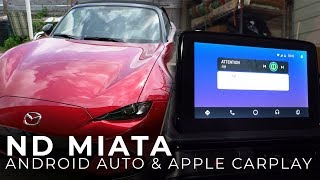
Section titled “Watch the ND retrofit on video”The most-recommended ND-specific walkthrough covers the hub install and the firmware prerequisite on an actual MX-5, not a CX-5 or Mazda 3.
Counts are Reddit mentions; see how we count.
What you have, by model year
Section titled “What you have, by model year”ND1 (2016–2018)
Section titled “ND1 (2016–2018)”No factory CarPlay on US trims. These cars predate Mazda’s US CarPlay program. The fix is the official retrofit: an OEM USB hub assembly plus a firmware update. Many ND1 units shipped on firmware in the v55–v59 range, and the CMU has to be updated before the hub will enumerate, so the firmware step is not optional. See getting to v74 for the update path.
2019 ND2
Section titled “2019 ND2”Transitional year. The 2019 ND2 did not ship with CarPlay from the factory in most markets but was eligible for the dealer retrofit. These cars typically shipped on later Gen 6 firmware than the ND1, so the retrofit is often just the hub, but confirm the installed version before assuming the firmware step is unnecessary. If you’re shopping a 2019, confirm whether the previous owner had the retrofit done. It’s a common point of confusion because the model years bracket the change.
2020–2023 ND2
Section titled “2020–2023 ND2”Factory CarPlay (and Android Auto) arrived for 2020 on Club and Grand Touring; the base Sport went without for one more year, then every trim got it standard for 2021 (GT adding wireless). If a factory-equipped car is missing it, the hub was likely disconnected during service rather than never installed. Start by checking the connection, not the firmware.
2024+ US-market MX-5
Section titled “2024+ US-market MX-5”Different system in the United States, Canada, Mexico, Europe, Japan, and Australia. The 2024 facelift uses an 8.8-inch widescreen with factory smartphone integration. Wireless availability depends on trim and market. Current Chilean and Peruvian cars cannot be classified from the year alone.
The retrofit is an OEM hub plus firmware, in that order
Section titled “The retrofit is an OEM hub plus firmware, in that order”The retrofit converts the single factory USB into a hub that exposes a dedicated CarPlay data port. Standard Mazda part numbers:
| Part | Number | Notes |
|---|---|---|
| USB hub assembly | TK78-66-9U0C | The retrofit hub itself |
| Installation kit | 00008FZ34 | Bracket and cable |
Regional equivalents exist; confirm with a dealer against your VIN before ordering. The job is straightforward DIY on an ND; the center console comes apart with a few clips and screws. The firmware update is the part people get wrong. The CMU must be on a CarPlay-capable version (v70+) before the hub will work; do the firmware first.
The CarPlay port lives in the center console bin
Section titled “The CarPlay port lives in the center console bin”On the ND the USB lives in the center console bin between the seats. Pre-retrofit that’s a single port; post-retrofit there are two, and the CarPlay data port is the one marked with the phone/device icon. Charging from the wrong port is the single most common “it charges but no CarPlay” complaint.
The run from the bin to the CMU is short, well under a foot, so cable quality matters less here than in a larger car. The failure mode that does show up is a marginal connection in the bin working loose over bumps; if CarPlay drops on rough pavement, reseat the cable or swap to a known-good one before chasing anything in software.
Wired vs. wireless in a convertible
Section titled “Wired vs. wireless in a convertible”Wireless CarPlay needs the factory hub plus a dongle (CarlinKit and Ottocast are the common ones). On the ND specifically, the convertible body shapes the tradeoff more than it would in a sedan:
Wireless wins on: no cable in a small open cabin, phone stays in your pocket with the top down, and a cleaner cockpit.
Wired wins on: response time. The dongles add roughly 1–2 seconds of input latency and 20–35 seconds of connect time on cold start, noticeable when you’re skipping a track or re-routing on a short drive, which is most ND driving. Wired also keeps the phone charged, which matters more with the top down and the screen working harder.
The 800×480 CMU display already feels dated; adding handoff lag on top of it is the main reason enthusiast owners who take short, frequent drives tend to stay wired, while commuters lean wireless. The right answer tracks how you drive the car.
The bigger lag on cold start is the CMU’s own boot, before CarPlay can hand off at all. On the ScreenTune test CMU, the optional wireless CarPlay configuration brought the session up about 16 seconds sooner typically and up to about 20 seconds sooner on a good boot. Wired CarPlay does not use that path. ScreenTune applies the reviewed customer configuration from one USB.
Wired CarPlay sounds best through Bose
Section titled “Wired CarPlay sounds best through Bose”Bose-equipped ND trims, Grand Touring and up depending on year and package, carry the 9-speaker system. Wired CarPlay feeds Bose a clean digital signal and sounds good. A wireless dongle’s audio path can show a slight degradation versus wired. Straight Bluetooth audio (no CarPlay) through Bose is audibly worse than either. If sound quality matters to you, that’s the configuration to avoid.
CarPlay gets you to the track, then steps aside
Section titled “CarPlay gets you to the track, then steps aside”CarPlay is useful for getting to and from the track; during sessions it’s beside the point, since lap-timing and data apps run on the phone independently and many drivers turn CarPlay off in the paddock to cut distraction. For how those apps and dedicated loggers compare on the ND, see lap timing apps and data loggers compared.
Common ND CarPlay problems
Section titled “Common ND CarPlay problems”| Symptom | Likely cause | Fix |
|---|---|---|
| Worked, then stopped after a dealer visit | Hub unplugged during service | Check the hub connection first |
| Phone charges but no CarPlay | Plugged into the charge-only port | Use the port with the phone icon |
| Drops out over bumps | Loose cable in the console bin | Reseat or replace the cable |
| No CarPlay option in settings | Hub not installed, or firmware too old | Confirm hub present and on v70+ |
| Won’t connect at all | Stale pairing or phone set to disabled | CarPlay won’t connect |
| Wireless connects slowly or grabs the wrong phone | Dongle pairing / Wi-Fi handoff | Wireless CarPlay speed |
| Android Auto runs but touch is dead | Stock Mazda design limitation | Choose AA Touch in ScreenTune; the knob still works |
Further reading
Section titled “Further reading”- CarPlay options across Mazda Connect: the platform-wide reference
- CarPlay retrofit details: hub install across models
- Wireless CarPlay adapters: dongle comparison
- Bluetooth pairing / no audio