
Mazda CarPlay Retrofit: Add CarPlay to Gen 6 Mazda Connect
CarPlay on Gen 6 Mazda Connect is gated by two things: a firmware version that includes the CarPlay/Android Auto software, and a USB hub that provides the data path the protocol needs. Cars built before mid-2018 shipped with neither. The retrofit adds both. Once they are in place, CarPlay behaves exactly as it does on a factory-equipped late car. There is no software difference between a retrofitted unit and one that came that way.
This is one job for the confirmed Gen 6 platform, including Mazda2, Mazda3, Mazda6, CX-3, CX-5, CX-8, CX-9, and MX-5 candidates. Regional part numbers and trim removal differ, so confirm the hub by VIN.
Watch the install before you start
Section titled “Watch the install before you start”These video walkthroughs cover the firmware update and the hub swap end to end. The cross-model “New Mazda” and Mazda Connect installs apply to any Gen 6 car; the CX-5 and Mazda6 clips show the same job on a specific model.
 23:12 2017 - 2018 Mazda CX-5 Android Auto/Apple CarPlay Installation Watch on YouTube ↗
  8:53 New Mazda Android Auto Car Play Install Part 2 Watch on YouTube ↗
  6:02 New Mazda Android Auto/Car Play Install Part 1 Watch on YouTube ↗
  5:24 Mazda CarPlay/Android Auto Install Hack Watch on YouTube ↗
  9:01 How To Install Apple CarPlay/Android Auto On Your Mazda Infotainment System Watch on YouTube ↗
 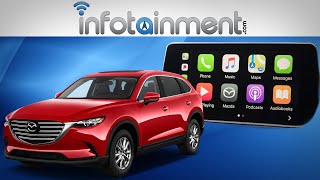 17:06 Mazda Connect® Radio Upgrade with Apple CarPlay & Android Auto - Easy DIY Installation! Watch on YouTube ↗
 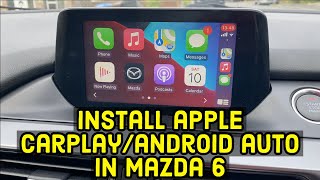 14:14 How to install Apple CarPlay & Android Auto in a Mazda 6 Watch on YouTube ↗
 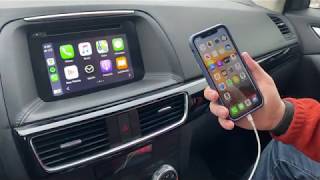 16:41 DIY Apple CarPlay & Android Auto install on Mazda CX-5 2016.5 Watch on YouTube ↗
 Counts are Reddit mentions; see how we count.
CarPlay needs both new firmware and a new USB hub
Section titled “CarPlay needs both new firmware and a new USB hub”CarPlay needs a high-speed USB data connection negotiated by software the early CMU firmware does not contain. The stock single USB port on a pre-retrofit car is a charging-and-mass-storage port: it can read music off a thumb drive, but it cannot carry the CarPlay session. Two pieces solve this:
- Firmware v70.00.021A or later adds the CarPlay and Android Auto stack to the CMU.
- The USB hub module replaces the single stock port with a dual-port hub wired to carry CarPlay data.
Neither works alone. Firmware without the hub gives you the software with no port to use it on; the hub without v70+ firmware gives you a data port the CMU does not know what to do with. The single most common “my retrofit failed” report is a hub installed on firmware below v70.
Which cars are eligible
Section titled “Which cars are eligible”Eligibility tracks the CMU and existing hub, not one worldwide year table.
| Starting point | Retrofit result |
|---|---|
| Confirmed Gen 6 CMU without phone projection | Candidate for region-correct v70+ software and the matching USB hub |
| Confirmed Gen 6 CMU with factory CarPlay/Android Auto | No retrofit needed |
| Earlier TomTom unit | Not eligible |
| Newer Mazda Connect platform | Not eligible; different hardware |
Common US retrofit years include Mazda3 2014–2018, Mazda6 2016–2017, CX-3 2016–2018, CX-5 2016–2018, CX-9 2016–2018, and MX-5 2016–2018. Mazda2, CX-8, and later regional candidates require source-market part and firmware confirmation.
Two things are out of scope:
- The newer Mazda Connect platform uses different hardware and cannot take this retrofit. Its CX-5/CX-8/CX-9/MX-5 boundary varies by country and trim. See Gen 6 vs Gen 7.
- The older TomTom-based Mazda Connect in some 2014–2015 Mazda3/6 units outside North America is not Gen 6 and is not eligible.
For the full supported-platform map, see supported vehicles and Mazda Connect generations.
The kit is a hub and a cable, not an electronics package
Section titled “The kit is a hub and a cable, not an electronics package”The OEM retrofit kit is small. It is a hub and a cable, not an electronics package.
| Component | Description |
|---|---|
| USB hub module | Replaces the stock single port with a dual-port hub that carries CarPlay/Android Auto data |
| USB-A port and harness | Routed from the hub to the console |
| Mounting hardware | Brackets or clips, varies by model |
Part numbers
Section titled “Part numbers”Mazda uses different numbers by region and model:
| Part number | Notes |
|---|---|
| TK78-66-9U0C | Common North American kit |
| 00008FZ34 | CX-5-specific kit, some regions |
Numbers vary by market. Confirm yours against the Mazda parts catalog or with a dealer before ordering. Compatible kits also sell on eBay and Amazon, usually below dealer price; the function is identical, the savings come from skipping the dealer parts markup.
Update firmware first
Section titled “Update firmware first”Do the firmware update before installing the hub. The new hub changes the USB topology, and a normal USB-stick firmware update can fail to mount afterward. Get to v70+ while the stock single port is still in place.
Check your version under Settings > System > About. Full instructions: check your firmware version.
To update:
- Remove the navigation SD card from its slot. Leaving it in during an update risks corrupting the nav database.
- Obtain the correct firmware image for your model from Mazda or a dealer.
- Write it to a FAT32-formatted USB drive.
- Insert the drive into the stock USB port.
- Follow the prompts. The update runs 30–45 minutes; do not cut power.
- After the CMU reboots, reinsert the nav SD card.
If you are already on v70+, skip straight to the hub. If an update stalls or the CMU does not come back, see firmware update recovery.
While you are choosing a version, v74.00.324A is the current Gen 6 release and the recommended target. See how to get to v74 and the version history.
Installing the hub
Section titled “Installing the hub”Difficulty: moderate. You remove center-console trim to reach the stock USB assembly and swap in the hub. There is no splicing and no programming. The hub plugs into the same connector the stock port used. It is a direct physical replacement.
- Plastic trim/pry tools
- Phillips screwdriver
- 10mm socket (some models)
- Patience with plastic clips
- Disconnect the battery. Recommended, not strictly required on every model.
- Remove the center-console trim. Varies by model, usually the surround around the shifter and cupholders. The ND MX-5 has the tightest working space; the CX-5, CX-9, and Mazda3 give you more room.
- Unplug the stock USB assembly from its harness connector.
- Plug the hub into that same connector. Direct replacement, no adapters.
- Route the new USB cable to wherever you want the CarPlay port to live in the console.
- Reassemble. Tuck the wiring, reseat trim, confirm every clip snaps home.
- Reconnect the battery and start the car.
- Verify by plugging in a phone and confirming CarPlay launches.
Budget 30–60 minutes if you have done interior trim before, 1–2 hours for a first attempt.
What tends to go wrong
Section titled “What tends to go wrong”| Issue | Likelihood | Mitigation |
|---|---|---|
| Cracked trim clips | Moderate | Plastic pry tools, work slowly, pull evenly |
| Scratched panels | Low–moderate | Tape adjacent panels or wrap tools in microfiber |
| Loose port after install | Low | Seat the hub fully and secure it |
| CarPlay absent after install | Common | Almost always firmware below v70, not the hardware |
When a retrofit “doesn’t work,” the hardware is rarely the problem. Confirm v70+ before touching the hub again.
What the retrofit costs, dealer vs. DIY
Section titled “What the retrofit costs, dealer vs. DIY”| Path | Parts | Labor | Total |
|---|---|---|---|
| Dealer parts + install | $150–250 | $200–300 | $350–500 |
| DIY, dealer kit | $150–250 | $0 | $150–250 |
| DIY, aftermarket kit | $100–180 | $0 | $100–180 |
Dealer labor rates vary widely; some shops charge a flat retrofit rate, others bill hourly. Call ahead.
How to make the first connection
Section titled “How to make the first connection”With the hub in and firmware at v70+:
- Plug the phone into the CarPlay-designated port (not the charge-only port) with a known-good cable.
- On an iPhone, tap Allow when the CarPlay prompt appears.
- CarPlay launches on the Mazda Connect screen.
- If it does not, enable it under Settings > Devices > Apple CarPlay on the CMU.
- For Android Auto, plug in an Android phone and follow the pairing prompts.
A few behaviors to expect:
- The retrofit is wired-only. The OEM hub does not do wireless. See the wireless options below.
- Stock Android Auto disables the touchscreen on Gen 6. That is Mazda’s implementation, not a fault. AA Touch adds touchscreen input while parked or moving through ScreenTune; the commander controls remain available.
- One phone at a time. Switching devices means unplugging the cable.
Going wireless after the retrofit
Section titled “Going wireless after the retrofit”The OEM kit is wired. To add wireless once it is installed, you have two routes, both with the same trade-off: wireless adds connection time at startup and a touch of input lag.
- Wireless CarPlay dongle ($50–100) plugs into the CarPlay port and bridges to the phone. See wireless CarPlay speed.
- Aftermarket wireless USB hub ($60–150) replaces the OEM hub with a unit that has wireless built in.
Adapter specifics and recommendations: wireless CarPlay adapters.
If CarPlay still won’t connect
Section titled “If CarPlay still won’t connect”Work through CarPlay won’t connect. It covers firmware verification, cable quality, iPhone settings, port selection, and hub hardware checks in order.
Related
Section titled “Related”- CarPlay options compared: OEM kit vs. wireless vs. aftermarket head units
- CarPlay won’t connect: troubleshooting
- Check your firmware version
- Gen 6 vs Gen 7: why 10.25-inch cars aren’t retrofit candidates
- Warranty and mods: Magnuson-Moss context for OEM retrofits