
Mazda menus and CarPlay respond.
Taps work at any speed in Mazda's own screens and in CarPlay. The commander knob, steering-wheel buttons, and voice work as before.
Mazda Connect ignores the touchscreen above about 5 mph. ScreenTune removes that lockout in Mazda's menus and CarPlay, and adds touch to Android Auto.
One-time $69, every feature included. Touch while moving is on by default. Full refund within 14 days.
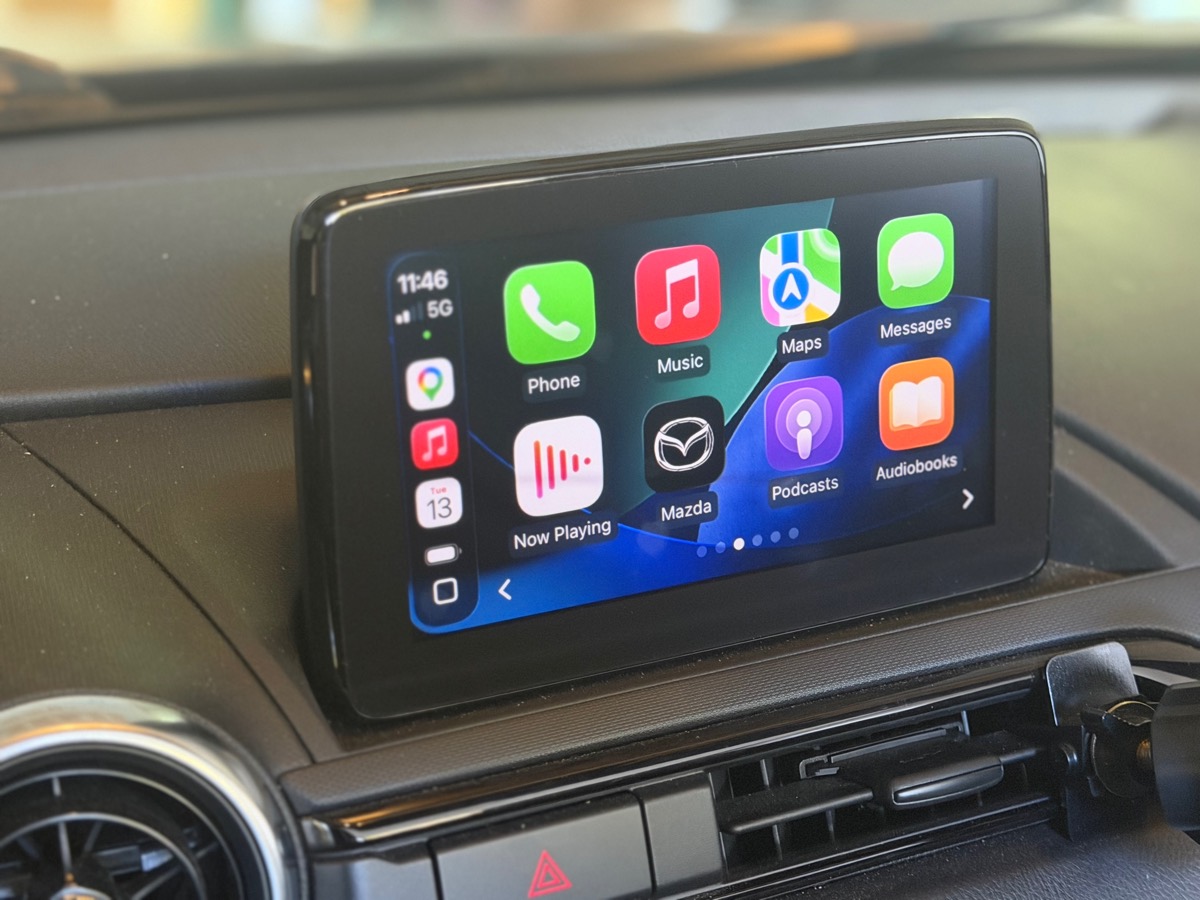
Touch while moving comes in every ScreenTune package, alongside the fixes owners usually want next.
Taps work at any speed in Mazda's own screens and in CarPlay. The commander knob, steering-wheel buttons, and voice work as before.
Stock Gen 6 Mazda Connect ignores touch in Android Auto even when parked. AA Touch adds tap, swipe, drag, and keyboard input.
CarPlay is ready 16–20 seconds sooner after power-on in our boot benchmarks.
With Mazda navigation on, the instrument-cluster compass still shows your heading while touch stays unlocked.
TouchTune is our free, open-source script for touch while moving and nothing else. ScreenTune is the full package for your car.
Everything included
$69 one-time
Free and open source
Free on GitHub, or $29 on a preloaded USB
Mazda Connect reads vehicle speed from the car's network. Above about 8 km/h (5 mph) it suppresses touch input across the whole interface: native navigation, settings, and CarPlay go dead together while the display keeps updating. The commander knob is exempt, so it keeps working at any speed.
How the lockout worksTouch while moving is on in every ScreenTune package unless you switch it off.
After checkout, enter your VIN and confirm your firmware. Add AA Touch on the add-ons step for Android Auto. It's free.
Use your configured ScreenTune USB package. Afterward, Applications → Miatafy → What's installed lists “Touch controls while driving.”
Above walking pace, have a passenger tap a Mazda menu or CarPlay. It should respond.
The installer checks the firmware on your car before it changes anything.
Yes. The commander knob, steering-wheel buttons, and voice controls work exactly as they do stock. Touch while moving only removes the speed lockout on the touchscreen.
Stock Gen 6 Mazda Connect does not accept touch in Android Auto at all, parked or moving. ScreenTune’s AA Touch adds tap, swipe, drag, and keyboard input. TouchTune does not change Android Auto.
Yes. Every ScreenTune package includes it unless you switch it off during car setup. You can turn it off or back on later from Change features in My ScreenTune.
Gen 6 Mazda Connect cars on firmware 74.00.324. Check it on the car under Settings → System → About → Version Information. Older versions can be updated first. If ScreenTune won’t install on your car, you get a full refund.
If the only thing you want is touch at speed in Mazda menus and CarPlay, TouchTune does that one job. It is free on GitHub, or $29 on a preloaded USB, and it was bench-tested on North American v74.00.324A. ScreenTune adds Android Auto touch, faster startup, Meters, custom home screens, and a package built for your firmware and feature choices.
Yes. Turn Touch while moving off in Change features and install the updated package, or use REMOVE, which takes ScreenTune off the car and restores the speed-restriction settings saved at the first install.
The driver. Touch while moving turns off a lock Mazda ships enabled. Use the screen safely and follow your local distracted-driving laws.
Touch at any speed in Mazda menus and CarPlay, touch in Android Auto, and a faster start, in one package built for your car.
Buy ScreenTune